
Introduction
The Orchestrata platform is in simplest terms a way for people who like to create to be able to manage longer term projects. With models like Opus 5 now at a point where they are far surpassing the output of multiple developers, it is more easy to create software than ever before.
Existing platforms in this space are primarily concerned with near-instant product generation. This is great for simple ideas, but for any software with any depth, it falls short.
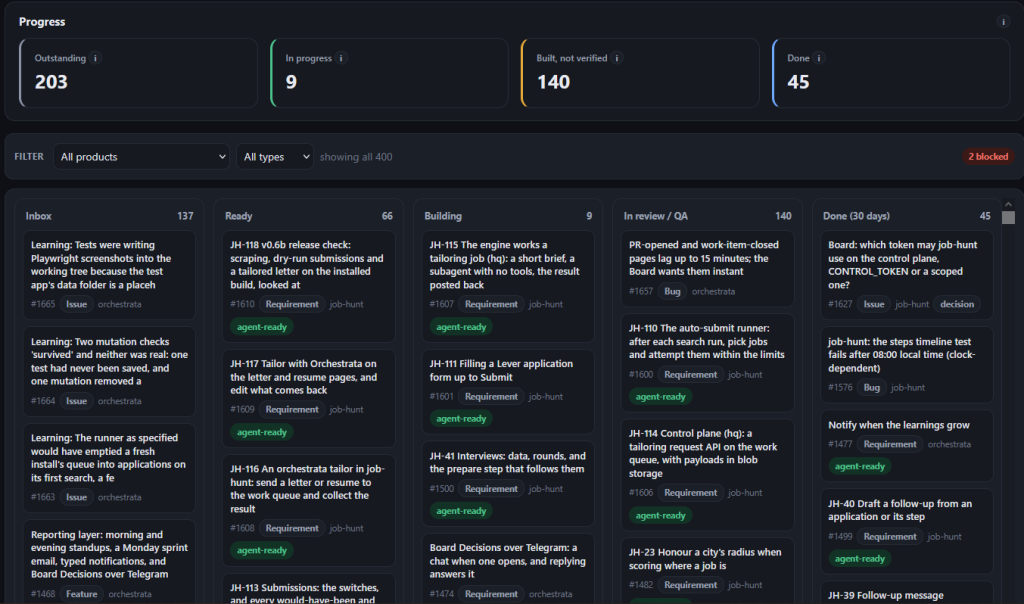
Orchestrata can connect with other project management tools like Azure DevOps, GitHub, and more. It’ll automate the process of expanding an idea into a full design document, and then breaking that down into individual work items. It performs test-driven-development from a security & mobile first standpoint.
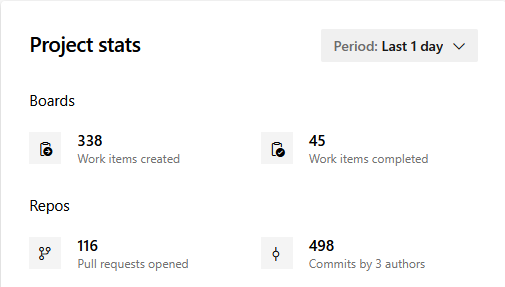
Orchestrata also allows for a fully customizable schedule, so you can automate different types of tasks, such as a daily digest, backlog refinement, etc.
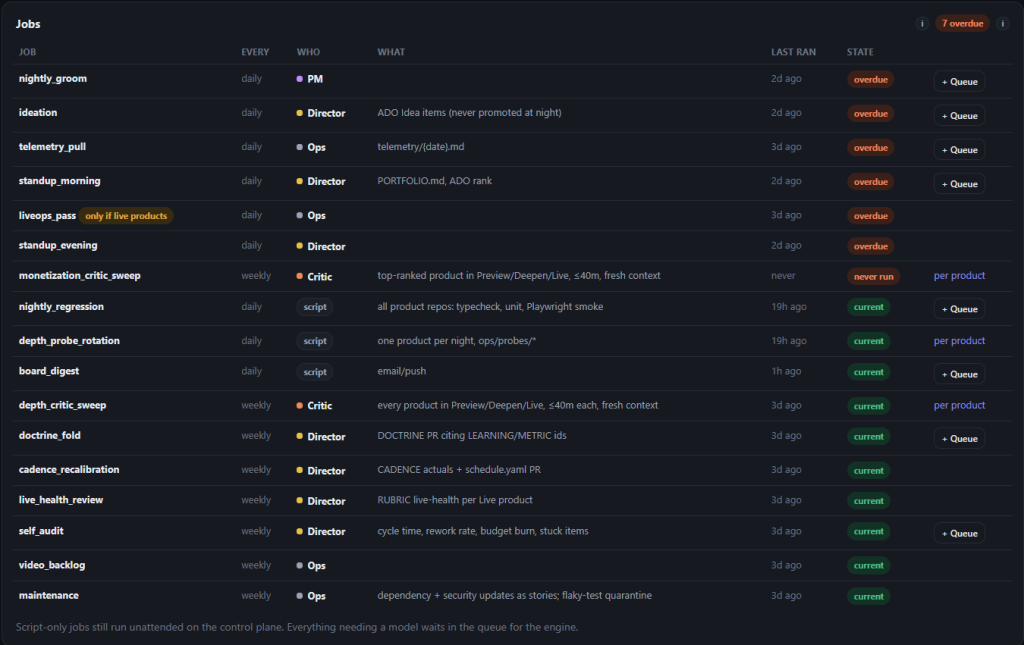
Any AI model can interface with the Orchestrata platform, but I highly recommend the usage of Opus 5 and Sonnet via Claude Code in Herdr for best results. By spinning up claude code in herdr, we can use the ops initialization script to configure the multi-plex terminal accordingly. Each Role has their own sets of Jobs
Advisor – Advises on current functionality, design decisions, etc. Anything you need advice on, your advisor should be your go to
Director – If there are any decisions you need to make with explicit “board” approval, you’ll want to funnel these through the Director. You can treat the Director as your second-in-command. Anything you want done, just tell the Director, and they’ll ensure it happens.
Project Manager – The Project Manager is the agent which takes care of the creation, refinement, and closure of work items.
Builder: We can have as many builders as we’d like, but for best results use 2 or 3. This ensures you aren’t hitting your 5 hour usage limit, and work can continue at a steady pace. Builders are the ones that actually write the code, and submit pull requests
Reviewer: Similar to builders, we can have several reviewers, but we really only need one. This reviewer can be assigned to review pull requests as they come through, run tests, etc. They also double as QA once something’s merged, going back and confirming it actually works before it’s marked done.
Critic: Critics are the ones which analyze software that’s been developed on a customizable set of metrics, such as depth, and the ability to monetize. Anything you want to critically evaluate, send to your Critic.
Ops: Ops is what puts the whole machine into motion. They will talk to the different agents in your workspace, assign tasks, and ensure everything continues moving forward, even when you aren’t around.
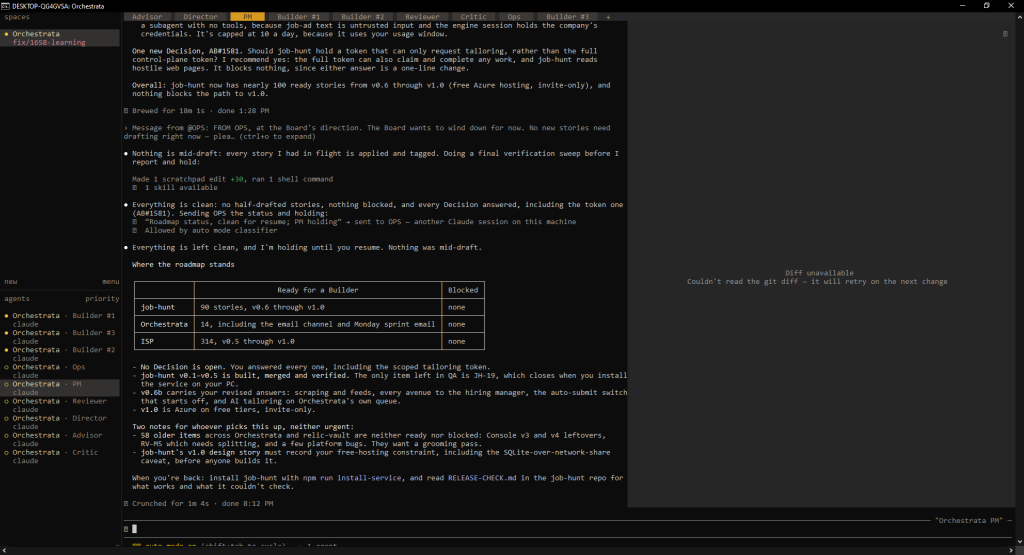
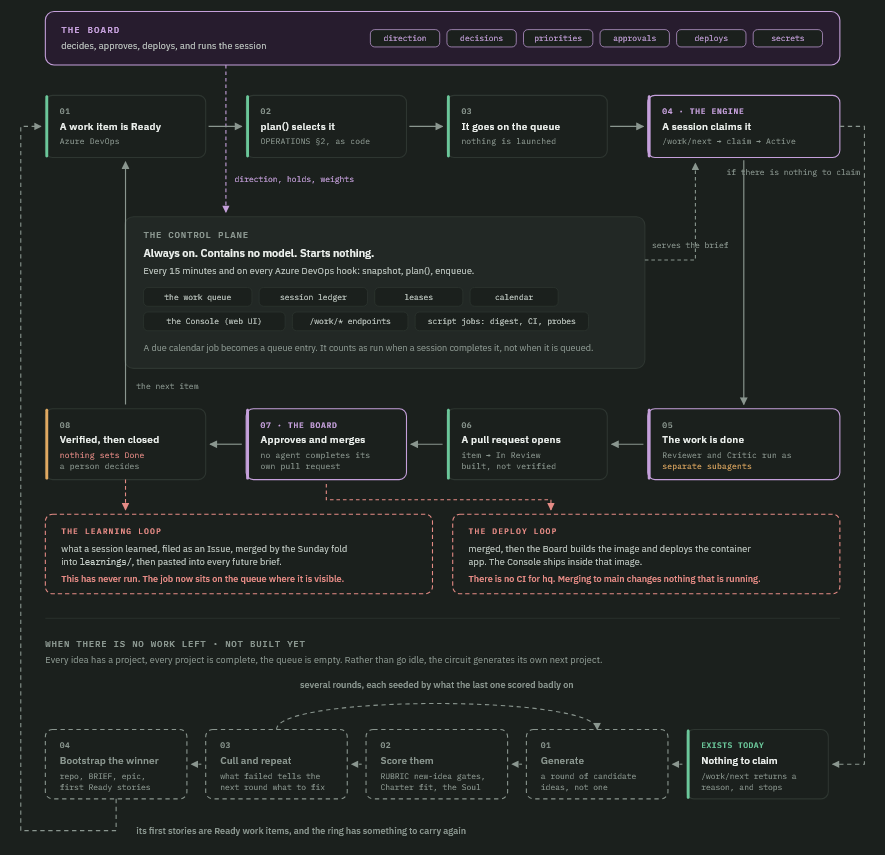
Under the hood there are really two pieces working together. The control plane is always on and holds no model of its own, it just keeps track of the work queue, who’s leased what, and the calendar, and it’s what serves the Console and hands out the job briefs. The engine is whatever Claude Code session is actually doing the work, whether that is a manual interactive session, or one running autonomously, and it polls the control plane for the next job, claims it, and works it under that role’s rules.
A work item’s actual path looks something like this: it gets marked Ready, the queue picks it up based on priority and how long it’s been waiting, a session claims it and the item goes Active, and once the work’s done the Reviewer and the Critic each look it over as their own separate subagent with a fresh context, so neither one is grading its own work. From there a pull request opens and sits In Review. Whether or not the Pull Request is then automatically accepted, or manually accepted, is up to you as the “board”. In order to reduce token cost, and because I have learned to have faith in what this system is doing.
As an aside, it’s truly incredible just how far AI has advanced in 2026. At the start of this year, you could not comfortably rely on an AI system to autonomously write large swathes of code for you unchecked. This is no longer the case, and the potential is remarkable.
Currently, I have been doing deployments manually. But the intention is to have it so that this whole process is streamlined as well. I’m envisioning some sort of release pipeline being more strongly enforced and evaluated.
The end goal is I should be able to have a series of customizable checks that need to happen prior to a deployment taking place. I should be able to have a deployment page within the Orchestrata Console which shows me all of the details about the release, including which work items are included, and whether or not a QA sweep has been done. But perhaps we would also like to evaluate each release from a security standpoint more closely. We should be able to configure this as a metric with an associated probe ruleset which can then be scheduled to run automatically, any flaws found would have work items created, and sent to the queue. Once complete, we should see this as a check on the deployment page.
In addition to the details mentioned above, it’s important to mention that this entire platform has been built from a security-first standpoint. Within the design architecture of Orchestrata, it is very plainly written that Board approval (i.e, the person running the Orchestrata platform) is required for various types of actions. Internally we just call this person the Board. Things like merging code, deploying, spending money, or touching secrets always route back to them, no agent is allowed to make those calls on its own. But this is also configurable.
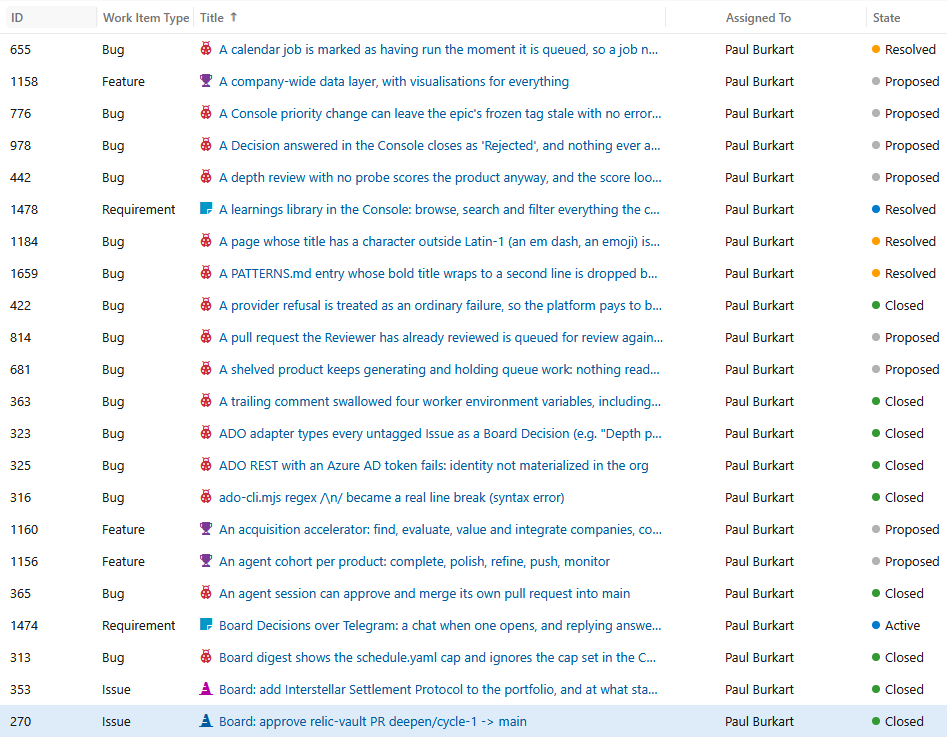
As such, whenever a board decision is required, a new issue is opened within your project management platform, which allows the user to respond directly from the Orchestrata Console. I’m also currently working on allowing users to integrate with platforms like Telegram or WhatsApp so they can respond to these requests via IM.
We also have a notification layer to this as well, so whenever a Pull Request is opened, a series of tasks is complete, a report is generated, or anything else the user customizes Orchestrata to notify them of, will go straight to their phone.
There’s also a learning loop built in, where anything a session picks up along the way gets filed as its own issue and folded into a shared set of learnings docs on a weekly basis, so future sessions start out a little smarter than the last one.
This isn’t something that is available publicly, yet. But the concept is simple enough that anyone can very easily implement their own version. This is still very much new territory to me, and every day, there are a lot of tweaks I make to this system. Building this system, however, I have fallen back in love with technology. I am incredibly optimistic for where the future is headed for people like me who love to create.